Agencies
Run outbound for clients with one workspace per client, pooled seats, client roles, an agency overview and full white-label.
An agency organization holds one workspace per client. Each client's accounts, leads, lists, campaigns, inbox, API keys and webhooks live in their workspace and never mix with another client's. Your team works across every client; each client sees only their own workspace.
Choose Agency when you sign up. Everything below is included in the per-account price: there is no agency plan, and no feature is gated.
Client workspaces
Open Clients to add a workspace for each client. The first one is created at sign-up as "First client"; rename it from the workspace settings. A workspace you no longer need can be archived. Archiving keeps its data; there is no hard delete from the app yet.
Pooled seats
Seats are bought once, for the whole organization, and the price tier follows the organization's total. Ten accounts spread over five clients cost $42 each, the same as ten accounts for one client. See Billing.
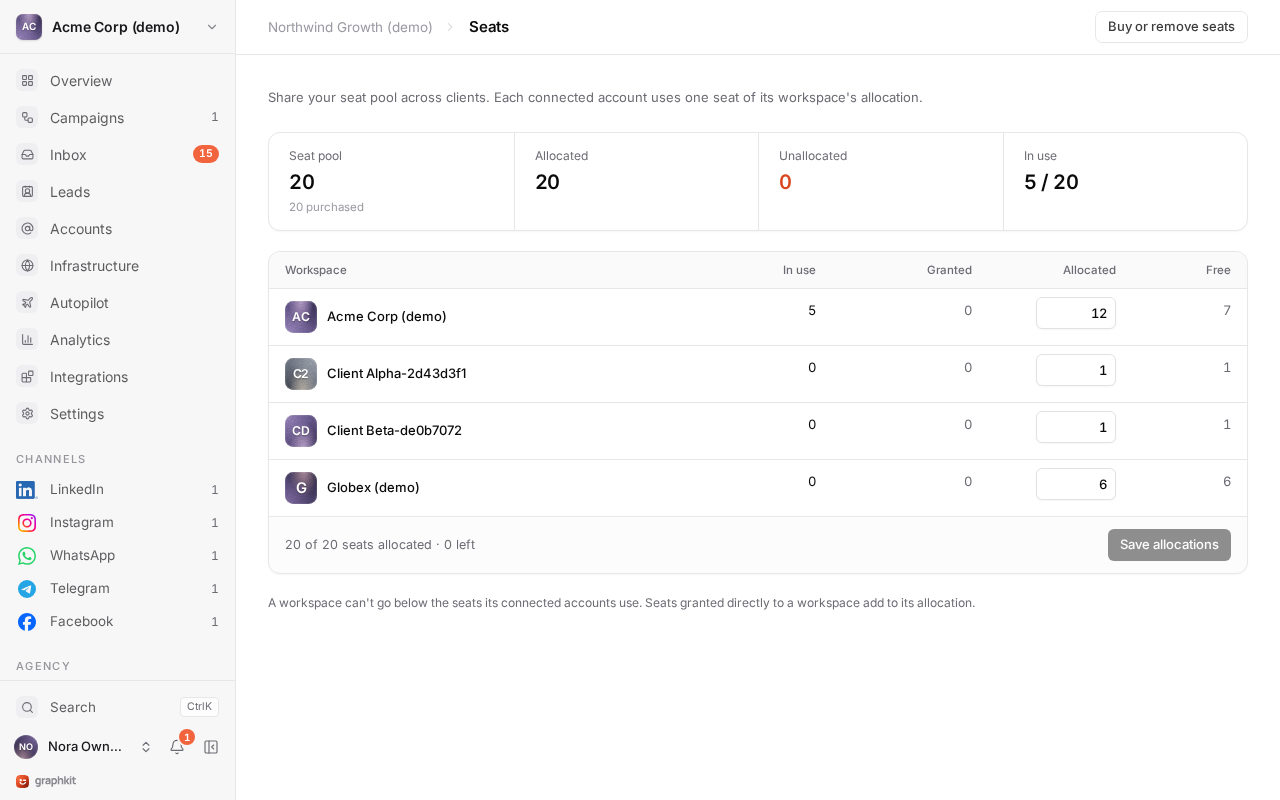
Allocate seats to client workspaces in Seats. A workspace can connect as many accounts as it has seats:
- The total allocated can never exceed the seats you bought.
- An allocation cannot go below the accounts a workspace has connected. Disconnect or remove accounts first.
- Changes are all or nothing: if one allocation in a change is invalid, none is applied.
Connecting an account checks the workspace's free seats at the moment it connects, so two people connecting at the same time cannot both take the last seat.
Moving an account to another client workspace keeps its history in the old workspace and needs a free seat in the new one.
Roles
Your team gets organization roles, which apply to every client workspace. Clients get workspace roles in their own workspace.
| Role | Level | Can |
|---|---|---|
| Agency owner | Organization | Everything, including billing, deleting the organization and managing other owners. |
| Agency manager | Organization | Everything except managing billing, deleting the organization and managing owners. Reads billing. |
| Client admin | Workspace | Connect and remove accounts, import leads, run campaigns, read private conversations, manage the team, API keys and webhooks. |
| Campaign operator | Workspace | Import leads, build and launch campaigns, read and answer the inbox. |
| Inbox agent | Workspace | Read and answer the inbox. |
| Viewer | Workspace | Read everything in the workspace, including the inbox, without replying. |
The full permission matrix is in Team and roles.
Working with clients
- Invite the client to their workspace from Settings → Team. An invitation is a link you copy and send however you like; GraphKit sends no email, so nothing unbranded reaches your client.
- Let the client connect their own accounts. Only the account owner should sign in to an account, in their own session, and confirm the connect statements. Give the client the client admin role so they can connect.
- Pick the right role for what the client does: viewer to watch results, inbox agent to answer replies, campaign operator to run campaigns themselves.
- Share a report without a login with a client report link.
- Keep shared suppressions (your own customers, competitors) at organization level, so they apply to every client. See Suppression.
Agency overview
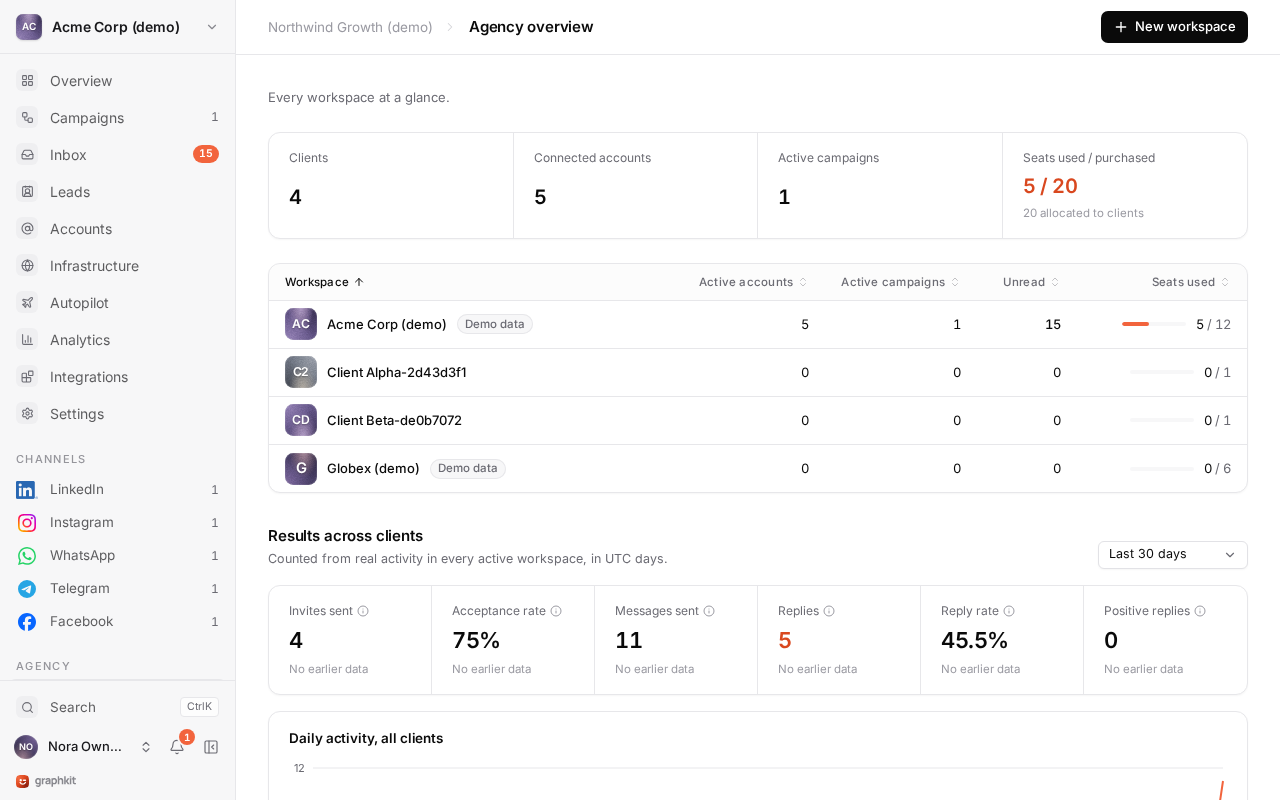
Agency overview shows totals across all active client workspaces and one row per client, so you can see at a glance which client's results or accounts need attention. See Analytics.
For a chosen set of clients, Master view compares results per client with charts you can download as PNG, SVG or CSV, and Master inbox puts every client's conversations in one list. See Agency master view.
White-label
On every plan, the app can run under your brand on your own domain, including the sign-in page, client reports and account connection notices. See White-label.
Infrastructure API
Buy domains and Google Workspace or Microsoft 365 mailboxes from your own product with just an API key. Self-serve, white-label, prepaid, with a free sandbox.
Agency master view
See results and conversations across selected client workspaces in one place, with filters and exports, without widening anyone's access.