White-label
Run GraphKit under your own brand and domain, set up a custom domain with a TXT and a CNAME record, and see what stays third-party branded.
White-label lets an organization present the app as its own product: your name, logo, colours and legal links, on your own domain, with GraphKit's branding hidden. It is included in every plan: no add-on fee, no minimum number of seats, and every feature still available. Any organization with seats, paid or complimentary, can set it up.
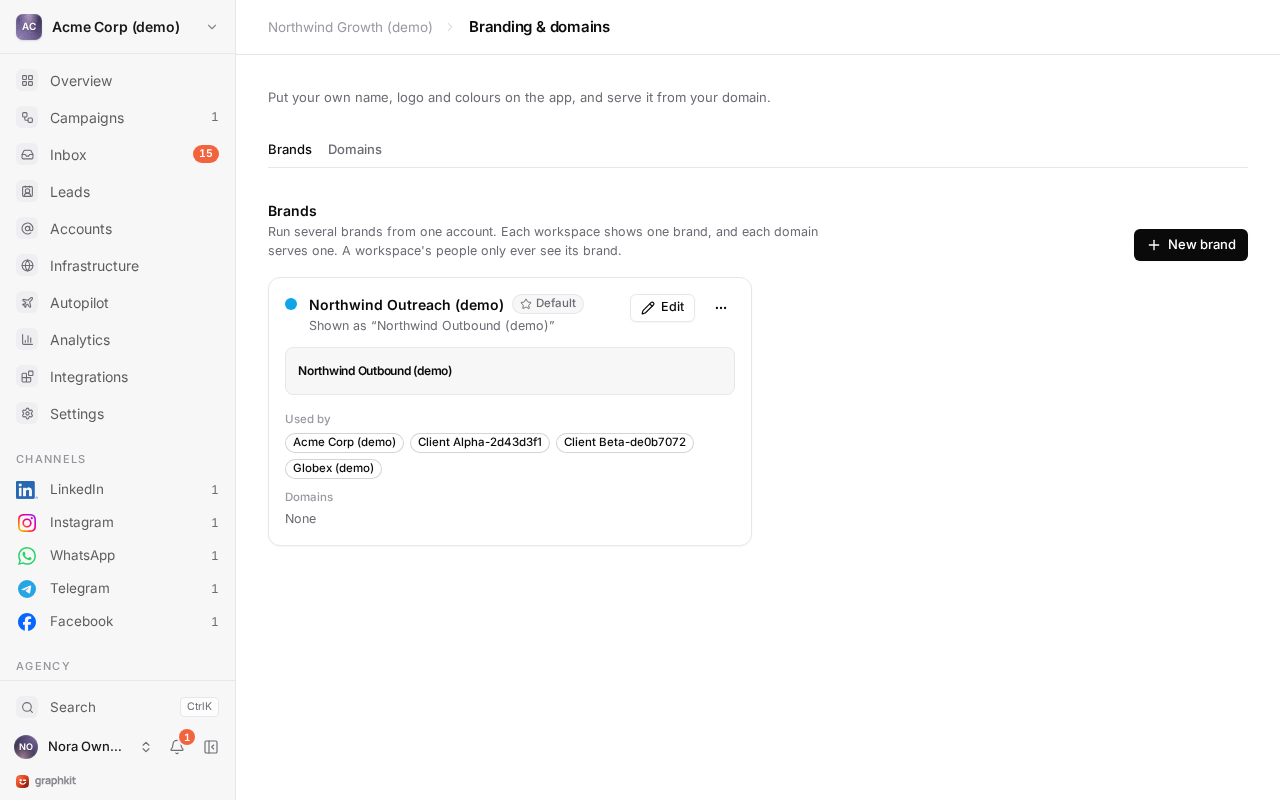
Branding
Open Branding & domains (agency owners and managers):
| Setting | Where it shows |
|---|---|
| Product name | Browser tab, app header, sign-in page. Defaults to the organization name. |
| Description | The page description on your domain. |
| Logo and favicon | App header, sign-in page, browser tab. |
| Primary and accent colours | Buttons, focus rings, active states and highlights. Neutral colours stay, so every brand stays readable. |
| Font | The app's UI font. |
| Support URL and email | Help links in the app. |
| Terms and privacy URLs | Footer and sign-in page legal links. |
| Labels | Rename parts of the app, for example "Campaigns" to "Sequences" or "Clients" to "Accounts". |
| Hide platform branding | Removes GraphKit's name and marks from the app. |
The brand applies to everyone who opens the app on your verified domains, and to your client report links. Your brand never changes who can access what: access always comes from each person's sign-in and role.
Custom domains
Use a subdomain, such as app.youragency.com. Most DNS providers cannot put a CNAME on an apex domain like youragency.com.
Add the domain
In Branding & domains → Domains, choose Add a domain and enter the hostname. A hostname can belong to only one organization.
Create two DNS records
At your DNS provider, create the two records the app shows:
| Type | Name | Value | Purpose |
|---|---|---|---|
| TXT | _graphkit.app.youragency.com | graphkit-verify=<your token> | Proves you own the domain. |
| CNAME | app.youragency.com | domains.graphkit.com | Points the domain at the app. |
Verify
Choose Verify. GraphKit checks the TXT record, then requests a TLS certificate for the hostname, which is issued and renewed automatically. The domain shows:
| Status | Meaning |
|---|---|
| Pending DNS | Records not found yet. DNS changes can take a few minutes to spread; verify again. |
| Verified | The TXT record matches and the certificate is active. The domain is live. |
| Verification failed | The domain shows what is wrong, for example a CNAME pointing elsewhere. |
You can add several domains; they all show the organization's brand. A domain can open straight into one client's workspace, which suits a portal for a single client. Every domain change is written to the audit log.
Sessions on your domain are first-party: people sign in on app.youragency.com itself.
What stays third-party branded
| Surface | Branding |
|---|---|
| Account connection screen | Run by GraphKit's connection partner, not re-skinned. Before the redirect, the app tells the user they will sign in on a secure third-party page and that your product never sees their password. |
| Network prompts (two-factor codes, checkpoints, consent screens) | The network's own. |
| Emails | GraphKit sends none: invitations are links you share yourself. |
| Legal documents | GraphKit's operator, Mindroot Ltd, and its subprocessors are named in the DPA. Your own terms and privacy notice should name Mindroot Ltd as your processor. |
Running more than one brand
One organization has one brand, shown on all of its domains. To run a second client-facing brand, create a second organization with its own seats and brand. Seats do not pool between organizations.
If you have no seats
Saving a brand and adding domains need a plan: at least one seat, paid or complimentary. Without one you can still prepare a brand in the editor. If a subscription ends, the brand and verified domains you already have keep working, so clients are not disrupted.