Campaigns
Build sequences across channels with steps, waits and conditions, choose sending accounts and schedules, preview and dry-run them, and understand the limits that apply.
A campaign runs a sequence of steps for every lead enrolled in it. Each lead moves through the sequence on its own: it waits, branches on what the lead did, and stops when the lead replies or opts out. Campaigns can mix LinkedIn, Instagram, WhatsApp, Telegram, Facebook and email steps.
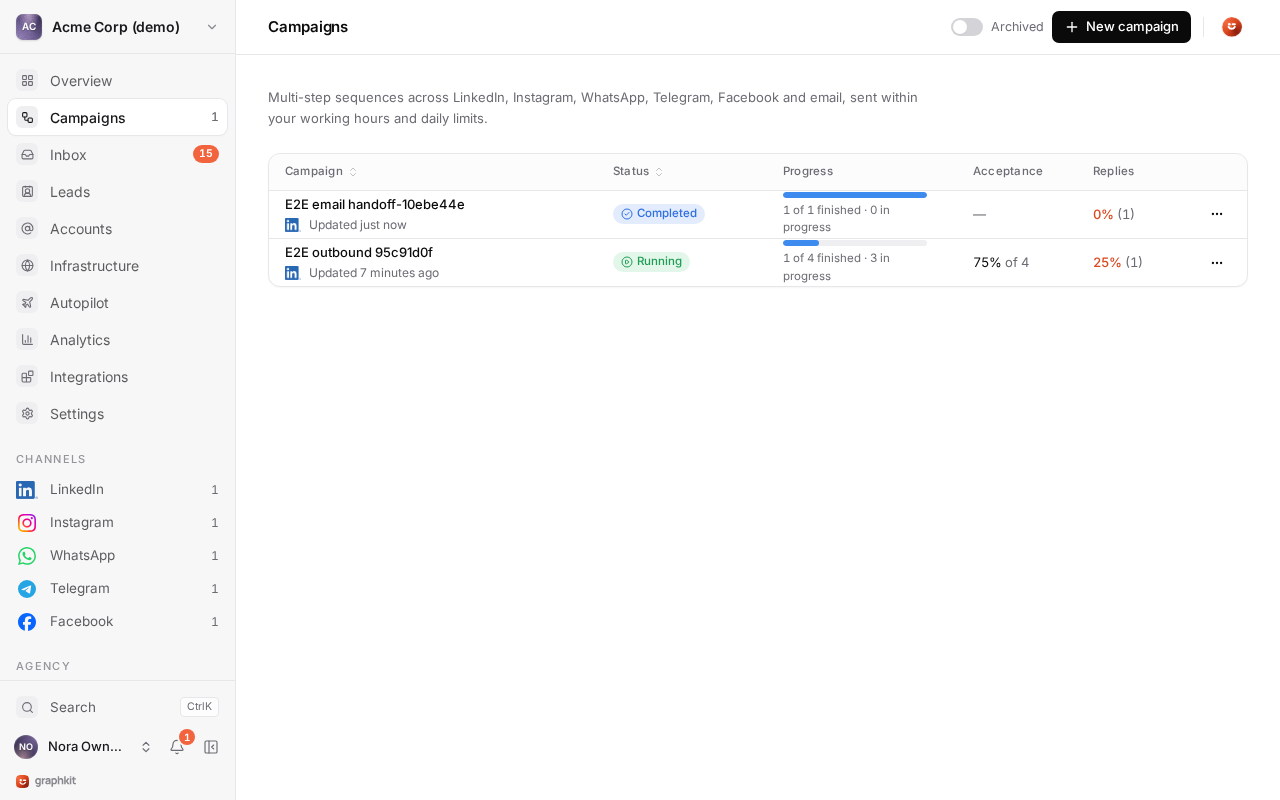
Campaign statuses
| Status | Meaning |
|---|---|
| Draft | Being built. Nothing runs. |
| Active | Running. Leads move through the sequence inside the schedule. |
| Paused | Nothing runs. Leads keep their place and continue on resume. |
| Completed | Every lead reached the end or stopped. |
| Archived | Closed. Open enrollments are stopped. |
A draft that never ran can be deleted. Anything else is archived instead, so its history stays.
Start from a template
New campaign offers six templates, and any campaign can be saved as your own template with Save as template (sequence, settings and schedule).
| Template | What it does |
|---|---|
| LinkedIn connect + follow-ups | Visit the profile, send a short invite note, then three spaced follow-ups once the lead accepts. Leads who do not accept within two weeks leave quietly. |
| LinkedIn profile visit warm-up | A profile visit, a like and a follow over a few days, then an invite without a note and one message after acceptance. |
| InMail to open profiles | An InMail (Sales Navigator or Recruiter), then an invite if there is no answer after a week. |
| Multi-channel LinkedIn → Instagram | Invite on LinkedIn. Message there if the lead accepts; if not within a week, warm up and message on Instagram instead. |
| Instagram engaged followers | For people who engage with your content: follow, like a recent post, then a DM and one follow-up. |
| WhatsApp follow-up for opted-in contacts | Follow up with contacts who opted in or already talk to you. Leads without consent stop before anything is sent. |
Steps
Every action step runs on one channel, from one of the campaign's accounts on that channel.
| Step | Telegram | ||||
|---|---|---|---|---|---|
| Invitation (optional note) | Yes | ||||
| Message | Yes | Yes | Yes | Yes | Yes |
| InMail | Yes | ||||
| Profile visit | Yes | ||||
| Follow | Yes | Yes | Once enabled | ||
| Like post | Yes | Yes | Yes | ||
| Voice note | Once enabled | Once enabled | Once enabled |
Two more steps have no channel: Wait and Condition. The email steps, Email handoff and Email stop, are covered in Email steps.
Steps an account cannot run (for example InMail without Sales Navigator) appear disabled with the reason. Voice notes, and follows on Facebook, are off until the account supports them. Channel details: LinkedIn, Instagram, WhatsApp, Telegram, Facebook.
Messages and variables
Message text can use variables, which are filled per lead when the step runs:
| Variable | Value |
|---|---|
{{first_name}}, {{last_name}}, {{full_name}} | The lead's name. |
{{company}}, {{job_title}}, {{headline}}, {{location}} | Lead fields. {{company_name}}, {{position}} and {{title}} also work. |
{{sender_first_name}}, {{sender_last_name}}, {{sender_full_name}} | The name on the sending account. |
{{industry}} | Any custom field, by its key. Use {{custom.first_name}} for a custom field that has the same name as a built-in one. |
Add a fallback after a bar: {{first_name|there}} renders "there" when the lead has no first name. Names are not case-sensitive, and a value of only spaces counts as missing.
Each message step can also have fallback text, used when a variable has no value and no inline fallback, or when the text is too long for the channel. If the fallback cannot render either, the lead stops with an error rather than receive a broken message. The builder flags unknown variables and text that is already over the channel's limit.
Waits
A wait pauses the lead for 1 hour to 90 days, in hours, days (same time of day) or business days (Monday to Friday in the campaign time zone; public holidays are not skipped). After a wait, the next step still runs only inside the schedule.
Conditions
A condition splits the sequence into Yes and No. It checks only things GraphKit can observe:
| Condition | Yes | No |
|---|---|---|
| Connected (LinkedIn) | As soon as the lead is a 1st-degree connection of its LinkedIn account. | When the timeout passes. Immediately if the lead has no verified LinkedIn identity. |
| Replied (one channel, or any) | As soon as the lead replied in this campaign, on that channel or on any channel. An email reply counts. | When the timeout passes. |
| Invite pending (LinkedIn) | The invitation is still pending after the timeout. | As soon as the lead connects, or when no invitation is pending. |
The timeout runs from when the lead reaches the condition; 0 checks once, straight away. Once a lead takes a branch it stays on it: a late acceptance on the No path does not move it back.
Common patterns:
- Branch on acceptance after 7 days: invitation, then Connected with a 7-day timeout. Messages go on Yes.
- Follow up elsewhere if there is no answer: a LinkedIn message, a 3-day wait, then an Instagram message, with stop on reply on.
What the builder checks
The builder checks the sequence as you edit and before launch. Errors block the launch; warnings do not.
- Errors: an empty message, an InMail without a subject, a step on a channel where it does not exist, a second invitation on the same path (LinkedIn refuses it), loops and unreachable steps, waits outside 1 hour to 90 days, template syntax errors.
- Warnings: a LinkedIn message that is not behind a Connected branch (it only reaches existing connections), a follow after an invitation, a condition with two empty branches, a trailing wait, and a consent notice on every WhatsApp, Telegram and Facebook step.
Multichannel sequences
A lead can be reached on a channel when it has a verified identity there and, on WhatsApp, Telegram and Facebook, a consent basis. Each step decides what happens when the lead cannot be reached:
| If unreachable | Effect |
|---|---|
| Skip (default) | The step is recorded as skipped with the reason, and the lead moves on. |
| Stop | The lead leaves the campaign. |
A lead gets one sending account per channel, picked the first time it reaches a step on that channel, and keeps it. A LinkedIn → Instagram → WhatsApp sequence uses three accounts for that lead, one per channel, so every conversation stays in one inbox thread. Launch needs at least one usable account for every channel the sequence uses.
Email steps
GraphKit does not send email. Email steps work through a connected email platform (Warmbly, Instantly, Smartlead or lemlist):
| Step | Effect |
|---|---|
| Email handoff | Adds the lead to a campaign on the platform, with field mapping. Needs an email address that has not bounced; otherwise the step's unreachable setting applies. |
| Email stop | Pauses or removes the lead on the platform, in one campaign or in all of them. |
Email steps ignore the social schedule and daily limits, because the platform runs its own sending schedule. An email reply counts as a reply on any channel, and an email unsubscribe suppresses the lead everywhere. See Email integrations.
Sending accounts and rotation
Add the accounts that send for the campaign, on any channels, each with a weight from 1 to 100. Facebook Pages cannot send campaigns; they are inbox-only.
| Rotation | First pick | Moves a lead when its account is out of quota or outside hours |
|---|---|---|
| Sticky (default) | Fewest leads assigned, by weight | Never. The lead waits for its account. |
| Round robin | Fewest leads assigned, by weight | Yes, until the lead has been contacted. |
| Least loaded | Fewest leads in progress, by weight | Yes, until the lead has been contacted. |
A lead is locked to its account on a channel once an invitation, message, InMail or voice note succeeds there. Profile visits, follows and likes do not lock.
When an account is lost (removed, disconnected, or no longer able to run a step):
| Setting | Effect |
|---|---|
| Reassign uncontacted (default) | Leads not yet contacted move to another account. Contacted leads stop. |
| Reassign everyone | Every lead moves to another account and continues from its current step. |
| Stop | Leads on that account stop. |
If no other account is available but the lost one may come back (paused or reconnecting), leads wait instead.
Schedule and time zones
The campaign schedule has a time zone and weekly windows, by default Monday to Friday, 09:00 to 17:00 in the workspace time zone. A step runs only when the campaign schedule and the sending account's working hours are both open. Windows keep their local times across daylight saving changes. If the two calendars never overlap, launch reports it.
Within the open window, actions are spread out rather than sent in a burst: each one waits for the remaining open time divided by the actions left, with a minimum gap (2 minutes by default, adjustable from 1 to 120) and a small random offset so queued actions do not fire together. A campaign launched late in the day is spread over the hours that remain. Some channels have a longer minimum gap per account: Instagram 3 minutes, Facebook 4, WhatsApp and Telegram 5.
Leads and enrollment
Lists added to the campaign are enrolled when it launches. Add more lists or leads later at any time, from the campaign or with the API. Enrollment skips:
- leads already in the campaign;
- suppressed leads;
- leads active in another campaign of the workspace, unless you allow it.
Each enrolled lead shows its current step, what it is waiting for (outside the window, quota used, waiting for a reply) and every action taken. You can stop, pause, resume, skip the current step or move a lead to another step.
Stop on reply
On by default. A reply on any channel, including an email reply, stops the lead in this campaign. Opt-outs always stop the lead, in every campaign, whether or not stop on reply is on.
Failures and retries
A step that fails for a temporary reason (rate limit, network outage) is retried with growing delays, from 30 minutes up to 6 hours apart, for a bounded number of attempts. A step that fails for good (for example the lead is not a connection) stops the lead with the reason. When GraphKit cannot tell whether an action went through, it checks with the network before doing anything else, so an invitation or message is never sent twice.
Preview and dry run
Preview renders every message for a few sample leads (5 by default, up to 20), shows the length against the channel limit and any missing variable, and lays out when each step would run over the next 14 days (up to 30).
Dry run runs the campaign for real, with every decision, schedule and limit, but sends nothing: each action is recorded as a dry run. Because no invitation is really sent, conditions such as Connected take their timeout branch. Dry-run actions use their own counters, so they do not use up the accounts' real daily limits. Dry run can only be switched while the campaign is not running.
Launch
Launch checks the sequence, the accounts on every channel, the schedule and the leads, and lists exactly what blocks it, for example a channel with no usable account or a list with no leads left after suppression. Launching also needs an organization in good standing: past the 7-day payment grace period, launches are blocked until the invoice is paid. A paused campaign resumes where it was.
Auto-pause
GraphKit pauses a LinkedIn account automatically when fewer than 15% of its invitations were accepted over the last 7 days, once it has sent at least 30 in that time. The account shows Paused with the figures, and the campaigns using it wait. Review the targeting and the note before you resume it.
Limits and ceilings
Limits are per account per day, across every campaign that uses the account. A campaign can set its own lower daily limits per channel and action, but never higher ones than the account's.
| Channel | Default daily limits | Min gap | Message length |
|---|---|---|---|
| invitations 15 (80 per rolling week), messages 50, InMail 20, profile visits 40, follows 30, likes 30, voice notes 10 | campaign pacing (2 min) | 8,000 | |
| messages 20, follows 15, likes 20 | 3 min | 1,000 | |
| messages 20, voice notes 10 | 5 min | 4,096 | |
| Telegram | messages 20, voice notes 10 | 5 min | 4,096 |
| messages 15, likes 15, follows 10 once enabled | 4 min | 2,000 |
LinkedIn also has hard ceilings that cannot be raised by anyone:
| LinkedIn action | Default | Ceiling |
|---|---|---|
| Invitations per day | 15 | 25 |
| Invitations per rolling week | 80 | 100 |
| Messages per day | 50 | 100 |
| Profile visits per day | 40 | 80 |
| InMails per day | 20 | the account's available credits |
A value above a ceiling is saved at the ceiling, with a warning. The rolling week is the current day and the six days before it, in the account's time zone; when it is full, invitations wait until enough earlier days drop out. With no InMail credits left, InMail steps wait and check again the next day.
Other limits: invitation notes up to 300 characters (200 on free LinkedIn accounts), InMail subjects up to 200 and bodies up to 1,900 characters, voice notes up to 60 seconds on LinkedIn and 300 on WhatsApp and Telegram. Lengths count characters, not bytes. Why these numbers: LinkedIn limits explained.
Suppression and data requests
Keep people and companies out of every campaign, and handle erasure and access requests for a lead.
Campaign tools
Duplicate campaigns, organise them in folders and tags, exclude leads other campaigns contacted, skip holidays, send a step from one account, warm leads up before inviting, endorse skills.